

Mastering Sudoku: A Comprehensive Guide to Playing Sudoku in Python
Sudoku is a popular puzzle game that has captivated millions around the world. It’s a number-placement puzzle that requires logical reasoning and problem-solving skills. Python, being a versatile programming language, allows you to create your own Sudoku game or solve puzzles programmatically. In this article, we’ll delve into the basics of Sudoku, how to play it using Python, and provide a step-by-step guide to get you started.
How to Play Sudoku:
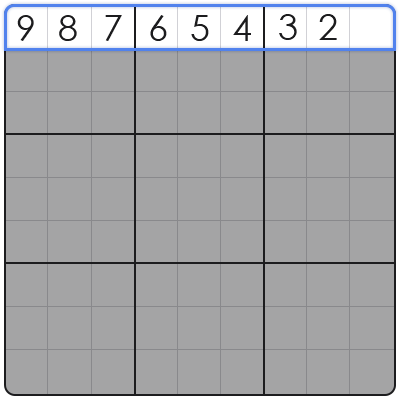
Sudoku is played on a 9×9 grid, divided into nine 3×3 subgrids called "boxes." The objective is to fill the grid with numbers from 1 to 9 so that each row, each column, and each box contains all the digits from 1 to 9. Here are the basic rules:
- Each row must contain unique numbers from 1 to 9.
- Each column must contain unique numbers from 1 to 9.
- Each 3×3 box must contain unique numbers from 1 to 9.
- Numbers cannot be repeated horizontally, vertically, or within the 3×3 boxes.
Playing Sudoku in Python:
To play Sudoku in Python, you can create a simple command-line interface or build a graphical user interface (GUI) using libraries like Tkinter. Here’s a basic outline of how you can implement a Sudoku game in Python:
- Create a 9×9 grid to represent the Sudoku board.
- Implement a function to check if a number can be placed in a specific cell without violating Sudoku rules.
- Develop an algorithm to solve the Sudoku puzzle, such as backtracking or constraint propagation.
- Allow the user to input numbers and update the grid accordingly.
- Provide feedback to the user on whether the number placement is valid.
Here’s a simple example of a Python function to check if a number can be placed in a specific cell:
def is_valid(board, row, col, num):
    for x in range(9):
        if board[row][x] == num or board[x][col] == num:
            return False
    start_row, start_col = 3 * (row // 3), 3 * (col // 3)
    for i in range(3):
        for j in range(3):
            if board[i + start_row][j + start_col] == num:
                return False
    return True
Teaching Yourself Sudoku in Python:
To teach yourself Sudoku in Python, follow these steps:
- Familiarize yourself with the basic rules of Sudoku.
- Learn Python programming basics, including variables, loops, and conditionals.
- Read tutorials and examples on how to create a Sudoku board and validate number placements.
- Experiment with different algorithms to solve Sudoku puzzles programmatically.
- Practice solving Sudoku puzzles by hand and using your Python program to verify your solutions.
Sudoku is an engaging puzzle game that can be both fun and challenging. By using Python, you can create your own Sudoku game or develop an algorithm to solve puzzles programmatically. With this guide, you’re well on your way to mastering Sudoku in Python. Happy coding and happy solving!