

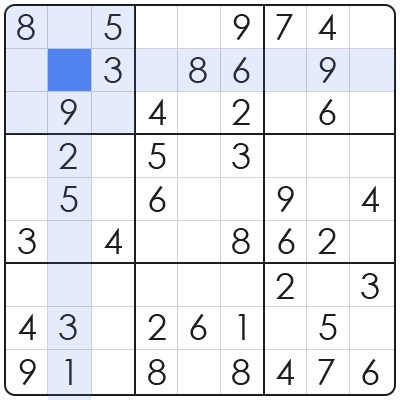
Creating Sudoku puzzles in MATLAB involves a sophisticated blend of algorithmic design and effective programming practices, offering a powerful avenue for exploring constraint satisfaction problems. This process is not merely about generating a grid of numbers; it encapsulates the core principles of artificial intelligence, search algorithms, and computational efficiency within a widely-used numerical computing environment, particularly relevant in software development. From a framework perspective, developing a Sudoku generator in MATLAB presents an exemplary challenge for software developers and computational scientists. It requires meticulous planning of the board representation, intelligent number placement, and systematic removal of digits while ensuring the puzzle remains uniquely solvable. This deep dive will unravel these complexities, providing insights applicable to broader computational tasks. The primary problem it solves in the current landscape is two-fold: it provides a practical application for mastering advanced recursive backtracking algorithms and serves as a foundational project for more complex grid-based or combinatorial optimization tasks. Understanding this process enhances proficiency in MATLAB’s capabilities for intricate logical problem-solving and algorithm design, crucial skills in modern software development.
Core Algorithmic Foundations for Sudoku in MATLAB
The core algorithmic foundations for creating Sudoku puzzles in MATLAB are primarily rooted in backtracking and constraint satisfaction algorithms. This approach systematically explores potential solutions, validating each step against Sudoku’s stringent rules to ensure a valid and solvable puzzle is generated.
Based on structural analysis, a Sudoku grid is a 9×9 matrix subdivided into nine 3×3 sub-grids, requiring each row, column, and 3×3 block to contain digits 1-9 exactly once. MATLAB’s matrix-centric environment provides an intuitive platform for representing and manipulating these grids, making it ideally suited for visualizing the state of the puzzle and performing checks.
The significance of backtracking lies in its ability to traverse a search space by building a solution step-by-step. When a step leads to an invalid state, it retracts its last choice (backtracks) and tries an alternative. In practical application, this ensures the algorithm can explore all possible number placements until a valid solution or a uniquely solvable puzzle state is achieved.
Deconstructing the Sudoku Solver: Backtracking Implementation
Implementing a Sudoku solver in MATLAB, an essential prerequisite for puzzle generation, involves a recursive backtracking function that attempts to fill empty cells adhering to Sudoku’s fundamental rules. This function typically takes the current grid state as its primary input, iteratively attempting to place numbers.
From a framework perspective, the solver function identifies an empty cell, then iterates through possible numbers (1-9). For each number, it checks if it’s valid to place in that cell based on row, column, and 3×3 block constraints. If valid, it places the number and recursively calls itself for the next empty cell, building the solution progressively.
If the recursive call returns true (meaning a solution was found), the current number placement is correct. If it returns false, the current number is invalid, and the function backtracks by resetting the cell to zero and trying the next number. This meticulous process continues until all empty cells are filled to form a complete, valid Sudoku grid.
From Solved Grid to Playable Puzzle: The Generation Mechanism
The generation mechanism for a playable Sudoku puzzle in MATLAB commences with creating a fully solved grid, then systematically removing numbers while rigorously ensuring the remaining puzzle has a single, unique solution. This guarantees a challenging yet definitively solvable experience for the user.
Based on structural analysis, populating an initial solved grid often involves utilizing the same backtracking solver, perhaps with randomized initial placements to produce diverse starting configurations. Once a full, valid grid is established, the critical phase of cell removal begins, transforming a solution into a problem.
In practical application, numbers are removed one by one from random positions. After each removal, the algorithm must verify that the modified grid still possesses a unique solution. This is often achieved by attempting to solve the grid and counting distinct solutions, or by employing more advanced unique-solvability checks to maintain puzzle integrity.
Step-by-Step: MATLAB Code Structure and Key Functions
The MATLAB code structure for Sudoku generation typically comprises several key functions: a main orchestrating generator function, a recursive solver, and utility functions for validating number placements. These modular components enhance readability, maintainability, and reusability across projects.
From a framework perspective, a `generateSudoku` function would orchestrate the entire puzzle creation process. It would first call the `solveSudoku` function to produce a full, valid grid. Subsequently, it iteratively removes numbers, leveraging an `isSafe` checker and potentially a `countSolutions` function to ensure the puzzle’s unique solvability.
In practical application, the `solveSudoku(grid)` function would embody the recursive backtracking logic. An `isSafe(grid, row, col, num)` utility function would handle the rigorous row, column, and 3×3 block constraint checks. The primary `createSudokuPuzzle(difficulty)` function would then manage the controlled number removal process based on a desired difficulty level, ensuring unique solvability and a balanced challenge.
Comparative Analysis of Sudoku Creation Methods
Comparing various Sudoku creation methods highlights distinct advantages across dimensions like complexity, efficiency, and development effort. While manual creation is inherently simple, it severely lacks scalability and uniqueness guarantees, often leading to flawed puzzles.
Based on structural analysis, programmatic generation in MATLAB, particularly using backtracking, offers high algorithmic complexity but yields efficient and reliably solvable puzzles. Alternative languages like Python or C++ can also implement these algorithms, often with similar conceptual complexity but varying performance characteristics depending on optimization and environment.
From a framework perspective, MATLAB provides a rapid development environment due to its powerful matrix operations and built-in functions, potentially reducing initial development effort compared to lower-level languages. However, for extremely large-scale or performance-critical applications, compiled languages might offer superior runtime efficiency, necessitating a trade-off analysis based on project requirements.
Addressing Common Challenges in MATLAB Sudoku Development
Common challenges when developing Sudoku in MATLAB include ensuring unique puzzle solutions, optimizing the backtracking algorithm for speed, and effectively handling the recursive call stack. These issues demand careful algorithmic design, robust testing, and meticulous debugging practices.
Based on structural analysis, infinite loops can frequently occur if the backtracking logic incorrectly handles invalid placements or base cases, preventing the algorithm from returning to a prior state. Ensuring that cells are correctly reset to zero upon backtracking is paramount to avoiding such debilitating issues and maintaining algorithmic flow.
In practical application, performance bottlenecks often arise from redundant validity checks or an inefficient cell removal strategy that frequently re-solves the puzzle entirely. Optimizing the `isSafe` function and employing more sophisticated unique-solution verification methods (e.g., using a limited search depth for checking uniqueness) can significantly improve execution time and overall algorithm efficiency.
FAQ: Essential Insights into Creating Sudoku in MATLAB
This section addresses frequently asked questions regarding the creation of Sudoku puzzles in MATLAB, providing concise answers for rapid understanding and to support quick information retrieval.
Q: What is the primary algorithm for generating Sudoku in MATLAB? A: The primary algorithm is recursive backtracking, which systematically explores possible number placements to create a solved grid and then intelligently removes numbers to form a playable puzzle.
Q: Why is unique solvability important for Sudoku puzzles? A: Unique solvability ensures that there is only one correct way to complete the puzzle, preventing ambiguity and frustration for the solver, which is a key aspect of a well-designed and fair Sudoku.
Q: What MATLAB functions are crucial for Sudoku development? A: Essential MATLAB functions include `zeros` for grid initialization, logical indexing for efficient checking of constraints (`any`, `all`), and recursive function calls for implementing the backtracking logic effectively.
Q: How can difficulty be controlled in a generated Sudoku? A: Difficulty is primarily controlled by the number of cells removed and the pattern of removal. Fewer numbers remaining generally lead to a harder puzzle, especially if critical constraint-setting numbers are absent.
Q: Can this MATLAB approach be adapted for other grid puzzles? A: Yes, based on structural analysis, the core backtracking and constraint satisfaction principles are highly adaptable to various grid-based puzzles like Nonograms or KenKen, requiring modifications to the specific `isSafe` validation logic.
In conclusion, mastering how to create sudoku in matlab is a testament to one’s ability to apply advanced algorithmic principles and robust software development practices within a numerical computing paradigm. The journey from an empty grid to a uniquely solvable puzzle underscores the elegance of backtracking, the precision of constraint satisfaction, and MATLAB’s aptitude for complex problem-solving. Based on structural analysis, the insights gained from this exercise extend far beyond game development, providing a foundational understanding for tackling real-world combinatorial optimization challenges and enhancing the efficiency of data-driven systems. From a framework perspective, this project serves as a cornerstone for developing more sophisticated AI agents and computational models, cementing its long-term strategic value in the evolving landscape of software engineering and computational mathematics.