

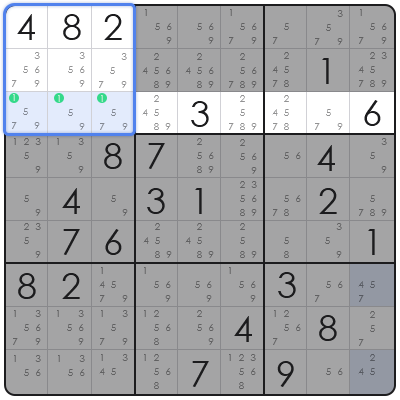
Creating a Sudoku game in JavaScript represents a practical application of core programming principles, combining algorithmic problem-solving with interactive front-end development. This process involves designing a robust game engine capable of generating valid Sudoku puzzles, managing user input, validating moves against standard Sudoku rules, and providing an intuitive user interface. From a framework perspective, developing a Sudoku game serves as an excellent project for honing skills in data structures (like 2D arrays), recursion (for puzzle generation and solving), and event handling. It challenges developers to think critically about state management and rendering efficiency, making it a comprehensive learning exercise for aspiring and experienced JavaScript developers alike. The primary problem a custom JavaScript Sudoku implementation solves in the current landscape is the provision of an engaging, browser-based logic puzzle that operates entirely client-side, eliminating the need for server-side processing or dedicated application installations. This enhances accessibility and offers a direct, interactive experience for users across various web-enabled devices. Based on structural analysis, the construction of a Sudoku game allows for deep exploration into topics such as backtracking algorithms for grid generation, efficient validation routines, and dynamic DOM manipulation or canvas rendering for the visual presentation of the game board. This article will delve into these foundational elements, offering a detailed guide to building a functional and enjoyable Sudoku experience.
The Core Architecture of a JavaScript Sudoku Game
The core architecture for creating a Sudoku game in JavaScript fundamentally involves generating a valid puzzle, managing the game state, and rendering the user interface. At its heart, a Sudoku board is best represented as a 9×9 two-dimensional array, where each cell stores its current number, a flag indicating if it’s a fixed puzzle number, and potentially user input status.
From a framework perspective, the game logic module handles the creation, validation, and solving of Sudoku grids. This includes the implementation of a robust backtracking algorithm for grid generation, which systematically fills cells while adhering to Sudoku rules. This module also encompasses functions to check row, column, and 3×3 subgrid validity.
In practical application, the user interface (UI) component interacts directly with the game logic. This UI can be built using standard HTML elements and CSS for styling, with JavaScript dynamically creating and updating the grid cells. Event listeners are crucial for capturing user input, such as clicks on cells or key presses to enter numbers, ensuring a responsive and interactive experience.
Further architectural considerations include a state management system to track the current puzzle, user’s entries, hints used, and game completion status. This allows for features like undo/redo, saving game progress, and resetting the board, enhancing the overall user experience and game robustness.
Generating a Solvable Sudoku Grid with JavaScript
Generating a solvable Sudoku grid in JavaScript typically utilizes a backtracking algorithm to fill a 9×9 matrix, ensuring all Sudoku rules are met at each step. This process begins by creating an empty 9×9 grid, represented as a 2D array, and then iteratively attempts to place numbers from 1 to 9 into empty cells.
The backtracking algorithm functions recursively: it tries to place a valid number in the current empty cell. If a number works, it moves to the next empty cell. If no number works for the current cell, it ‘backtracks’ to the previous cell and tries a different number. This ensures that a fully filled, valid Sudoku grid is eventually produced.
After generating a complete and valid Sudoku solution, the next step involves ‘scooping out’ numbers to create the puzzle itself. This is done by randomly selecting a cell, removing its number, and then verifying that the resulting puzzle still possesses a unique solution. This verification is critical to ensure the puzzle is fair and solvable.
Based on structural analysis, the number of cells removed directly correlates with the puzzle’s difficulty. Fewer removed cells result in an easier puzzle, while more removals lead to a harder challenge. The iterative removal and validation process is often computationally intensive but ensures a high-quality, solvable puzzle.
Implementing User Interaction and Validation
Implementing user interaction and real-time validation for a JavaScript Sudoku game involves capturing user input and immediately checking its adherence to Sudoku rules. This ensures players receive instant feedback, enhancing the interactive quality of the game.
From a framework perspective, event listeners are attached to each interactive cell on the Sudoku board. When a user clicks a cell, the UI highlights it, and when a number key is pressed, that number is processed. Input validation functions are then immediately invoked to determine if the entered number is valid for that specific cell based on existing numbers in its row, column, and 3×3 block.
In practical application, validation logic involves three distinct checks: confirming the number is not already present in the current row, not present in the current column, and not present in the 3×3 subgrid containing the cell. These checks must be performed efficiently to avoid lag, especially as the board fills up.
Upon successful validation, the number is updated in the game state and reflected in the UI. If invalid, visual cues (e.g., changing cell color to red) can inform the user. This immediate feedback loop is crucial for a smooth and intuitive gameplay experience, guiding players through the puzzle-solving process.
Advanced Features and Game Management
Advanced features in a JavaScript Sudoku game enhance user experience and manage game state, including difficulty levels, hint systems, and game completion detection. These additions transform a basic puzzle into a comprehensive and engaging application.
Based on structural analysis, implementing difficulty levels typically involves controlling the number of pre-filled cells. Easier puzzles might hide 40-50 cells, while harder ones could hide 60 or more. Critically, each generated puzzle for a specific difficulty should be confirmed to have a single, unique solution, often by attempting to solve it with a backtracking algorithm and counting solutions.
A hint system often requires storing the original solved grid. When a user requests a hint, a hidden cell’s correct number from the solution grid is revealed. This feature must be managed carefully, potentially limiting the number of hints or applying a penalty to the game score.
In practical application, game state management is vital. This includes tracking the elapsed time, recording user moves (for undo functionality), and saving/loading game progress using browser’s local storage. Detecting game completion involves a full board validation check, ensuring all cells are filled correctly, triggering a ‘win’ condition and potentially displaying performance metrics to the user.
Comparing Sudoku Implementation Strategies
Comparing Sudoku implementation strategies reveals distinct trade-offs between various approaches to grid generation and UI rendering in JavaScript. Understanding these differences is crucial for optimizing performance, development complexity, and user experience.
From a framework perspective, grid generation can either use a `backtracking algorithm` to create a new puzzle from scratch each time or `pre-calculated grids` stored in an array. Backtracking offers infinite variability and lower storage requirements (Cost), but higher computational `Complexity` and `Efficiency` concerns during initial load times. Pre-calculated grids offer instant load times and simpler logic (High `Efficiency`), but limited puzzle variety and higher storage (Low `Complexity` for generation once stored).
For UI rendering, the two primary strategies are `DOM manipulation` and `HTML Canvas`. DOM manipulation provides high `Flexibility` for styling and event handling, leveraging standard web technologies, but can suffer from `Performance` issues with frequent updates on large grids (Higher `Complexity` for optimization). HTML Canvas offers superior `Performance` for pixel-perfect rendering and animations (High `Efficiency`), but requires more low-level drawing code and custom event handling, increasing initial `Complexity` of development.
In practical application, the choice between these strategies depends on project requirements. For a simple Sudoku with moderate traffic, DOM manipulation and on-the-fly backtracking are sufficient. For high-performance, graphically rich Sudoku applications that require extensive custom animations or support for millions of users, Canvas rendering combined with pre-calculated, optimized puzzles might be more suitable, impacting development `Cost` and `Frequency` of updates.
Common Pitfalls and Robust Solutions in Sudoku Development
Common pitfalls when creating a Sudoku game in JavaScript often involve inefficient generation algorithms, complex validation logic, and unresponsive user interfaces. Addressing these proactively leads to a more robust and enjoyable application.
One frequent mistake is an inefficient `grid generation algorithm` that can cause significant delays during puzzle loading, especially for harder difficulties requiring extensive backtracking and unique solution verification. A robust solution involves optimizing the backtracking process by implementing early exit conditions, pruning invalid branches, and utilizing techniques like constraint propagation to reduce the search space effectively.
Another pitfall is `overly complex or duplicated validation logic`. Developers might write separate functions for row, column, and block checks that iterate through the entire grid each time. The professional advice is to create highly modular, reusable validation functions that operate on specific coordinates and values, performing checks only on the relevant sub-sections of the grid (e.g., the row, column, and 3×3 block containing the changed cell) rather than the entire board, significantly boosting `Efficiency`.
Finally, `unresponsive user interfaces` can arise from excessive or synchronous DOM manipulations. Repeatedly updating individual cells in a loop can cause ‘jank’. A solution involves batching DOM updates, applying changes to a document fragment before appending it, or considering alternative rendering techniques like `HTML Canvas` for performance-critical scenarios. For DOM-based UIs, `throttling` or `debouncing` input events can also prevent performance bottlenecks.
Frequently Asked Questions about JavaScript Sudoku Development
Frequently asked questions about creating Sudoku games in JavaScript typically cover topics ranging from core algorithmic choices to deployment strategies.
**Q: How do you ensure a Sudoku puzzle has a unique solution?** A: Ensuring a unique solution involves generating a full grid, then iteratively removing numbers and, after each removal, running a solver algorithm to confirm that only one valid solution remains for the current puzzle state.
**Q: What’s the best way to handle different difficulty levels?** A: Difficulty levels are primarily controlled by the number of hidden cells and the ‘solvability’ path. More hidden cells usually mean harder, but the puzzle’s difficulty is truly determined by the number of logical steps required to solve it, verified computationally.
**Q: Can Sudoku be built without a backend?** A: Yes, a fully functional Sudoku game, including puzzle generation, validation, and solving, can be built entirely client-side using JavaScript, HTML, and CSS, making it suitable for static hosting.
**Q: What are the key performance considerations?** A: Key considerations include optimizing the puzzle generation algorithm (backtracking efficiency), ensuring validation functions are fast, and minimizing DOM manipulation for smooth UI updates. Using `requestAnimationFrame` for animations helps.
**Q: Is it possible to add a ‘hint’ feature?** A: Yes, a hint feature can be implemented by storing the complete, solved grid that corresponds to the current puzzle. When a hint is requested, simply reveal a correct number from the solved grid in an empty cell.
In conclusion, the journey of creating a Sudoku game in JavaScript offers a comprehensive masterclass in front-end development, algorithmic thinking, and user experience design. Based on structural analysis, from grid generation with backtracking to real-time validation and advanced feature integration, each component presents unique challenges and learning opportunities. The ability to deploy such a sophisticated logic puzzle entirely client-side underscores the power and versatility of JavaScript in building interactive web applications. As the web continues to evolve, projects like these remain invaluable for demonstrating core programming prowess and contributing to a rich landscape of browser-based utility and entertainment, pushing the boundaries of what is achievable in a web environment.