

Sudoku Solver Python Code: A Comprehensive Guide to Solve Puzzles
Introduction to Sudoku
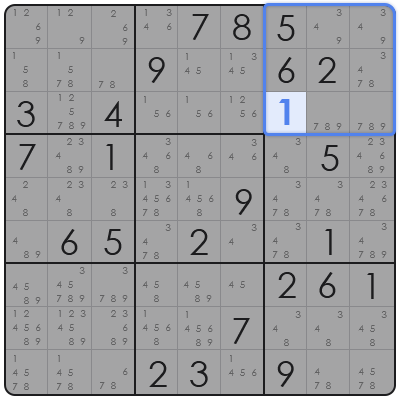
Sudoku is a popular puzzle game that involves a 9×9 grid. The objective is to fill the grid with digits so that each column, each row, and each of the nine 3×3 subgrids that compose the grid contain all of the digits from 1 to 9. The puzzle setter provides a partially completed grid, which for a well-posed puzzle has a single solution.
Python Sudoku Solver Code Overview
In this guide, we’ll delve into the Python code that can solve Sudoku puzzles. The solver uses a backtracking algorithm, which is a depth-first search (DFS) for constraint satisfaction problems. This algorithm incrementally builds candidates for the solution and abandons a candidate ("backtracks") as soon as it determines that the candidate cannot possibly lead to a valid solution.
How to Use the Sudoku Solver Python Code
To use the Sudoku solver, you first need to install Python on your computer. Once installed, you can follow these steps:
-
Copy the Code: Obtain the Sudoku solver Python code from a reliable source or repository.
-
Input the Puzzle: Modify the
puzzlevariable in the code to reflect the Sudoku puzzle you want to solve. The puzzle should be represented as a 2D list, where empty cells are denoted by 0. -
Run the Code: Execute the Python script, and the solver will attempt to fill in the puzzle.
-
Review the Solution: The final grid will be printed out, showing the completed Sudoku puzzle.
Example Sudoku Solver Python Code
def is_valid(board, row, col, num):
    for x in range(9):
        if board[row][x] == num or board[x][col] == num:
            return False
    start_row, start_col = 3 * (row // 3), 3 * (col // 3)
    for i in range(3):
        for j in range(3):
            if board[i + start_row][j + start_col] == num:
                return False
    return True

def solve_sudoku(board):
    empty = find_empty_location(board)
    if not empty:
        return True  # No empty location, puzzle solved
    row, col = empty
    for num in range(1, 10):
        if is_valid(board, row, col, num):
            board[row][col] = num
            if solve_sudoku(board):
                return True
            board[row][col] = 0  # Reset the value
    return False

def find_empty_location(board):
    for i in range(9):
        for j in range(9):
            if board[i][j] == 0:
                return (i, j)
    return None

# Example puzzle
puzzle = [
    [5, 3, 0, 0, 7, 0, 0, 0, 0],
    [6, 0, 0, 1, 9, 5, 0, 0, 0],
    [0, 9, 8, 0, 0, 0, 0, 6, 0],
    [8, 0, 0, 0, 6, 0, 0, 0, 3],
    [4, 0, 0, 8, 0, 3, 0, 0, 1],
    [7, 0, 0, 0, 2, 0, 0, 0, 6],
    [0, 6, 0, 0, 0, 0, 2, 8, 0],
    [0, 0, 0, 4, 1, 9, 0, 0, 5],
    [0, 0, 0, 0, 8, 0, 0, 7, 9]
]

if solve_sudoku(puzzle):
    for row in puzzle:
        print(" ".join(str(num) for num in row))
else:
    print("No solution exists")
Conclusion
The Sudoku solver Python code is a powerful tool for solving puzzles of any difficulty. By understanding the backtracking algorithm and how to use the code, you can now tackle Sudoku puzzles with ease. Whether you’re a beginner or an aficionado, this code can be a valuable resource in your Sudoku-solving endeavors.